Getting Started
Once the installation is done you can start by typing dblab
[ ] postgres
[ ] mysql
[x] sqlite3
When you don't use any flags with dblab, a prompt will ask for the driver to be used.
You can navigate through the options with the Arrow Up and Arrow Down keys or with the j and k keys.
When the right driver is selected, you can press Enter to apply the selection.
For this example, we are going to use a sample SQLite database file with a few tables from here, but you can use your own SQLite file.
In this case, we are going to choose the sqlite3 driver, so the prompt will ask for the path of the DB file and the size limit of the result from the queries:
Enter the connection parameters:

> File Path
> Limit
Select the SSL mode (just press enter if you selected sqlite3):
If everything went well, you should see the UI
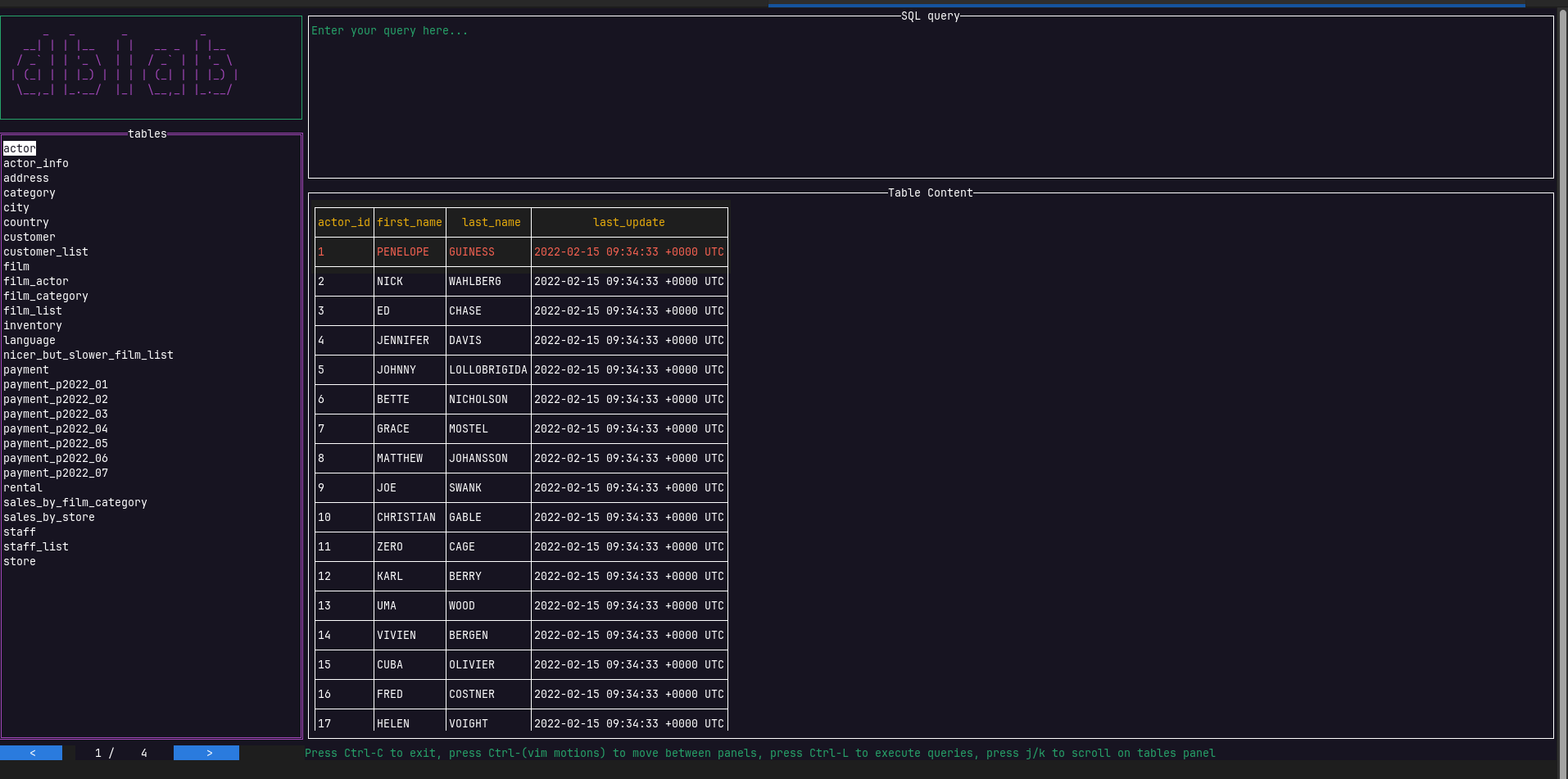
For further knowledge on the navigation of the UI, you can check these first steps in navigation