Navigation
One of the main features of dblab is to be a simple but very useful UI to interact with your database.
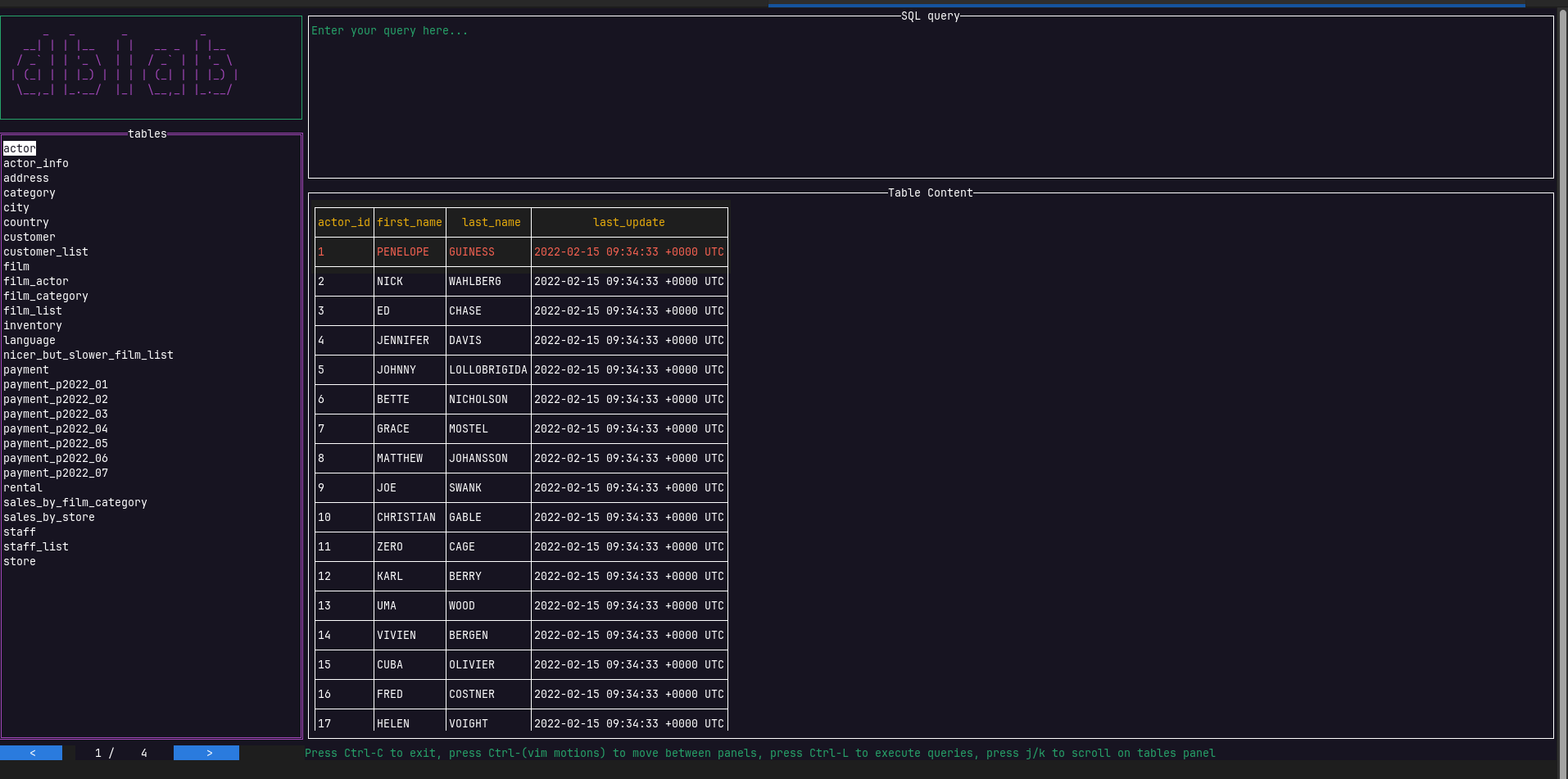
- Ctrl+I to move from Rows to Indexes and backwards.
- Ctrl+T to move from Rows to Constraints and backwards.
- Ctrl+S to move from Rows to Structure and backwards.
When selected each panel will show different information in the bottom box:
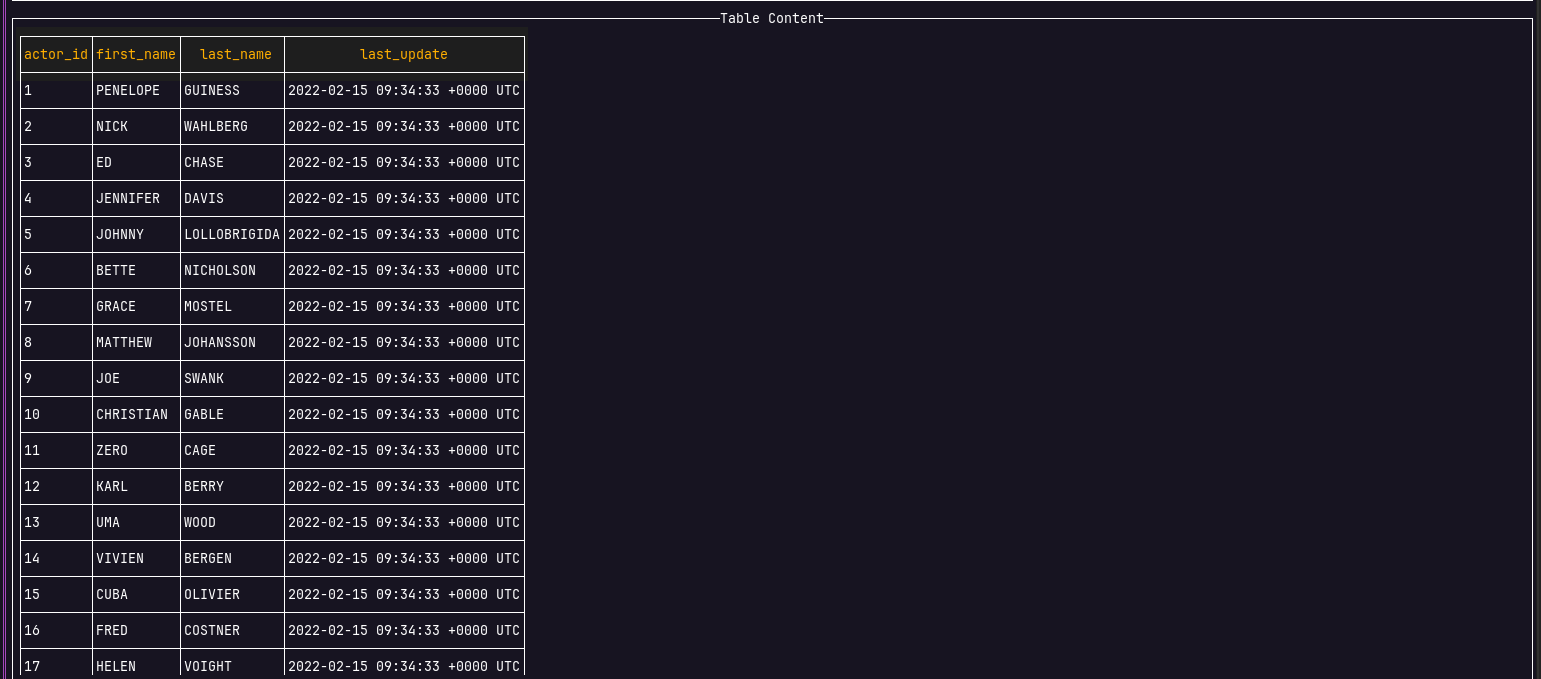
- Rows: Will show the result of the executed query. Press Ctrl+Space to execute the query.
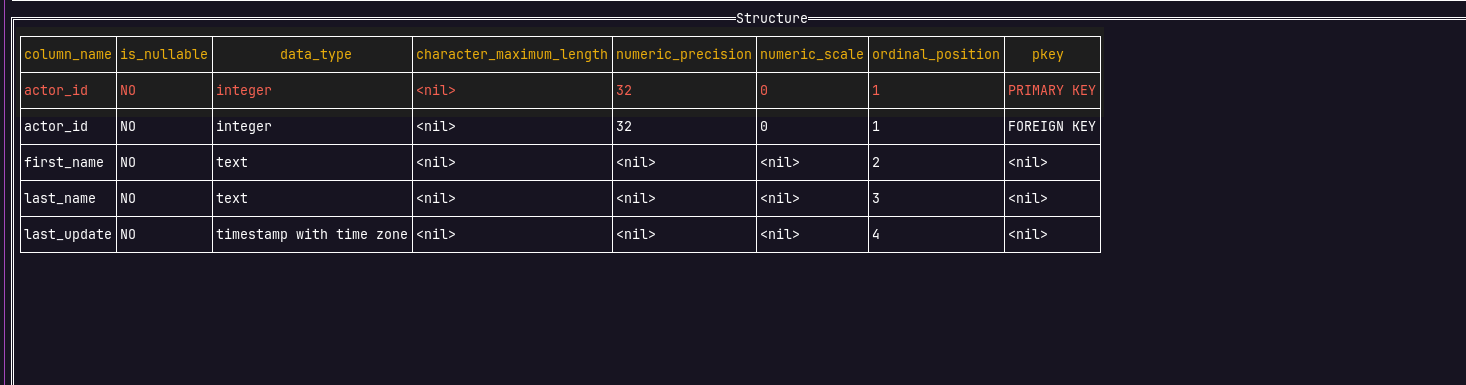
- Structure: Will show the schema of the table selected
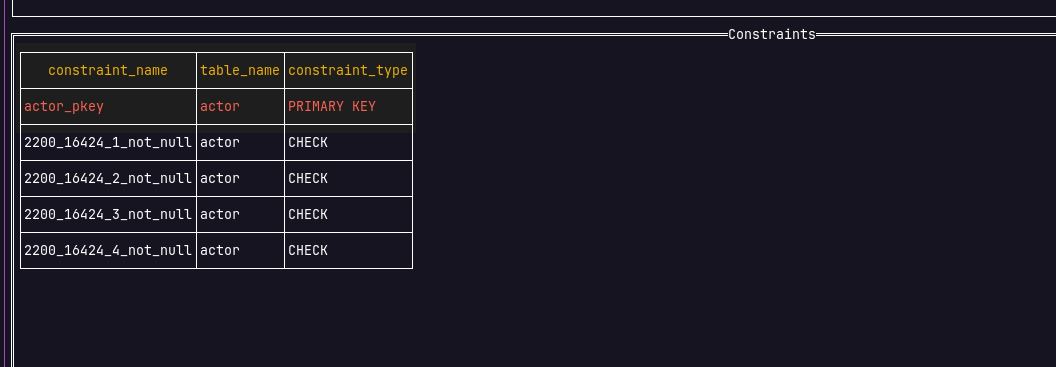
- Constraints: Will show the constraints of the table selected
- Indexes: Will show the indexes of the table selected
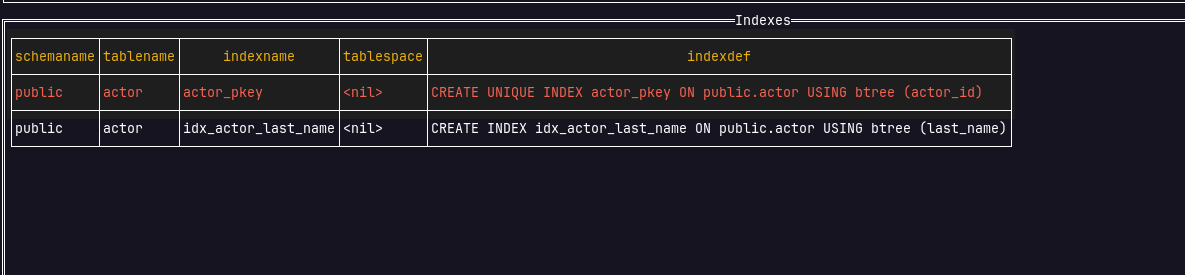
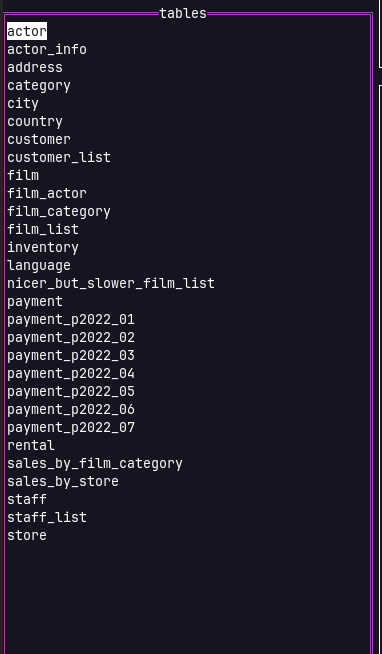
In order to be able to see the information of Structure, Constraints or Indexes first you need to select a table from the left menu.
To navigate there you can use:
- Ctrl+H: Toggle to the panel on the left
- Ctrl+J: Toggle to the panel below
- Ctrl+K: Toggle to the panel above
- Ctrl+L: Toggle to the panel on the right
Once you are placed above the correct name in the menu press Enter to select the table.
Now you can navigate to the different panels to see the information related to it.
Key Bindings
| Key | Description |
|---|---|
| Ctrl+Space | If the query panel is active, execute the query |
| Ctrl+D | Cleans the whole text from the query editor, when the editor is selected |
| Enter | If the tables panel is active, list all the rows as a result set on the rows panel and display the structure of the table on the structure panel |
| Ctrl+S | If the rows panel is active, switch to the schema panel. The opposite is true |
| Ctrl+T | If the rows panel is active, switch to the constraints view. The opposite is true |
| Ctrl+I | If the rows panel is active, switch to the indexes view. The opposite is true |
| Ctrl+H | Toggle to the panel on the left |
| Ctrl+J | Toggle to the panel below |
| Ctrl+K | Toggle to the panel above |
| Ctrl+L | Toggle to the panel on the right |
| Arrow Up | Next row of the result set on the panel. Views: rows, table, constraints, structure and indexes |
| k | Next row of the result set on the panel. Views: rows, table, constraints, structure and indexes |
| Arrow Down | Previous row of the result set on the panel. Views: rows, table, constraints, structure and indexes |
| j | Previous row of the result set on the panel. Views: rows, table, constraints, structure and indexes |
| Arrow Right | Horizontal scrolling on the panel. Views: rows, constraints, structure and indexes |
| l | Horizontal scrolling on the panel. Views: rows, constraints, structure and indexes |
| Arrow Left | Horizontal scrolling on the panel. Views: rows, constraints, structure and indexes |
| h | Horizontal scrolling on the panel. Views: rows, constraints, structure and indexes |
| g | Move cursor to the top of the panel's dataset. Views: rows, constraints, structure and indexes |
| G | Move cursor to the bottom of the panel's dataset. Views: rows, constraints, structure and indexes |
| Ctrl-F | Move down by one page. Views: rows, constraints, structure and indexes |
| Ctrl-B | Move up by one page. Views: rows, constraints, structure and indexes |
| Ctrl+c | Quit |